
Automated Application Reminders
Automated Reminders help keep credit applications moving by automatically following up when a required action is still outstanding.
Types of Reminders
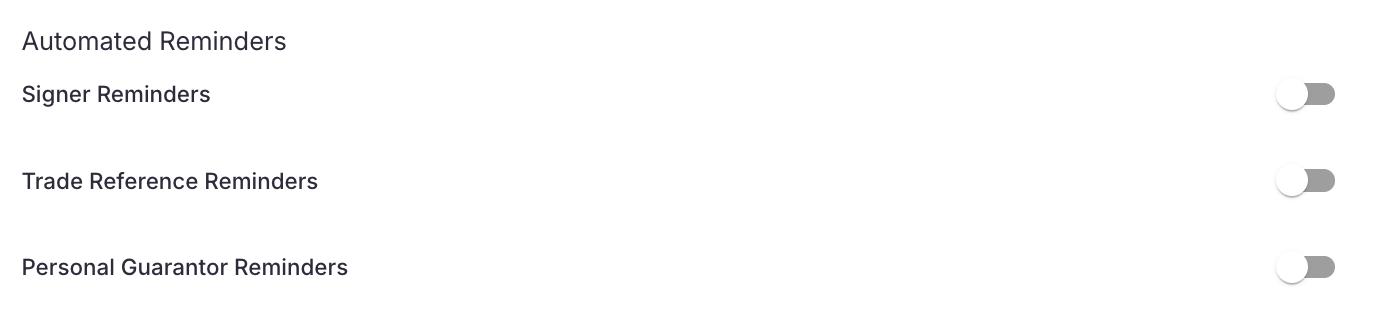
You can configure reminders for:
Signers who still need to review and sign an application
Trade References who have not completed a trade reference request
Personal Guarantors who have not completed their personal guarantee
Once enabled, our platform sends follow-up emails based on the cadence and maximum number of reminders you select.
How Automated Reminders Work
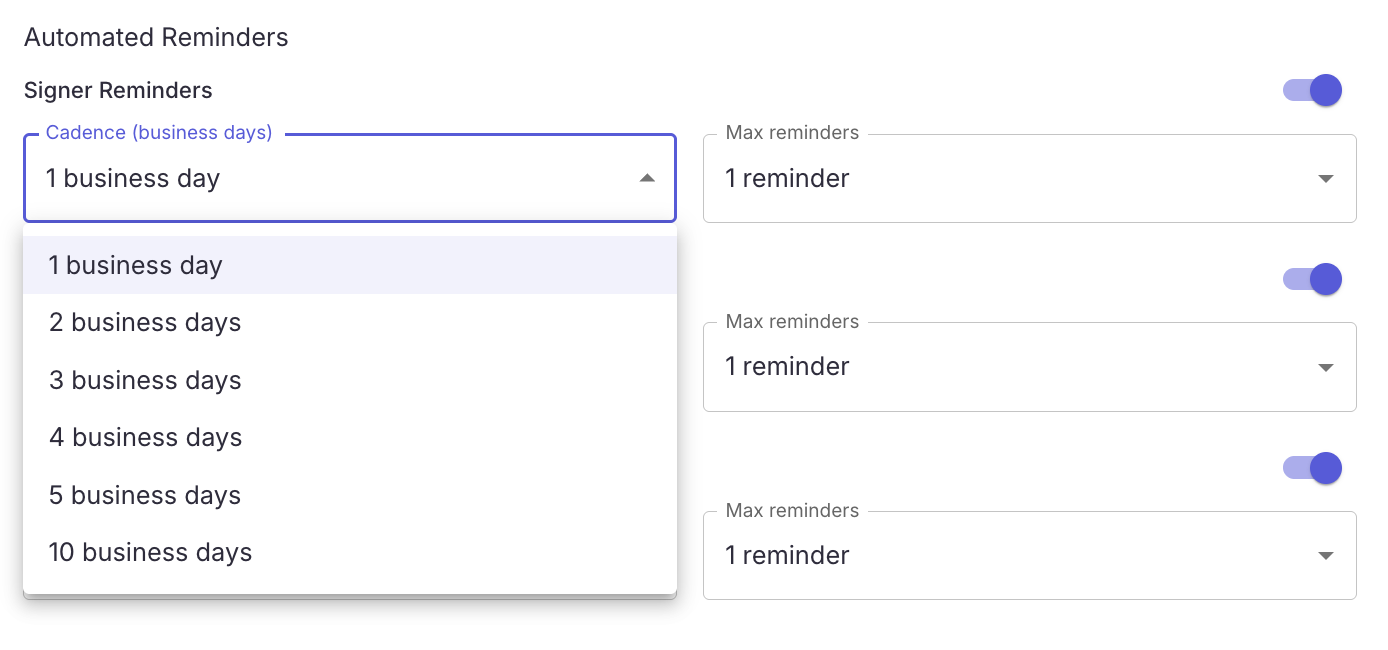
Each reminder type has two settings: Cadence and Max Reminders.
Cadence determines how many business days to wait between reminder emails. Options includes 1 to 10 business days.
Max Reminders determines the maximum number of follow-up emails to send for that request. You can send between 1 to 3 reminders.
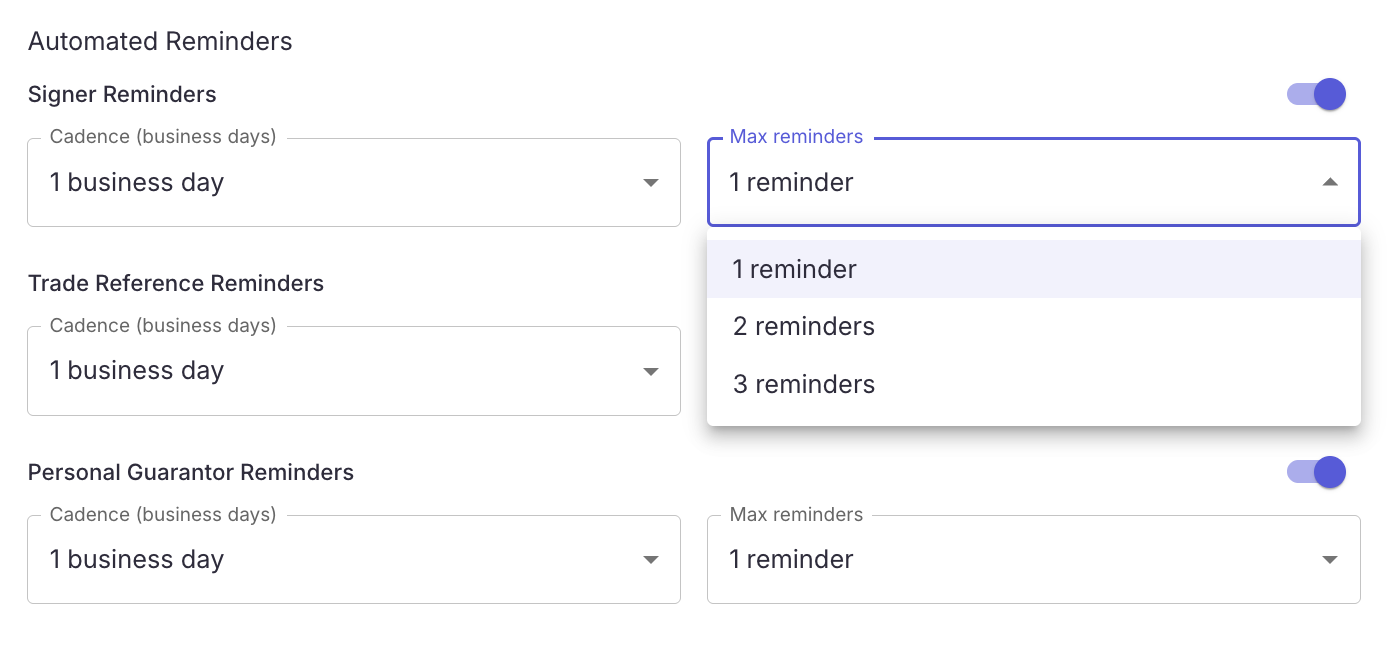
The original request is not counted as a reminder.
For Example
If Trade Reference Reminders are configured for 1 business day with a maximum of 3 reminders:
The initial trade reference request is sent.
If it remains incomplete, the first reminder is sent after 1 business day.
A reminder will be sent every business day following that
Reminders stop once the trade reference is completed or after 3 reminders have been sent.
Reminder Types
Signer Reminders
If an applicant routes the application to another person for signature, the application will remain in the Awaiting Signature status until that person completes it. Automated reminders help keep those applications from stalling by following up with the signer until they take action.
Trade Reference Reminders
Trade references can often slow down an application because they depend on an outside contact responding. Automated reminders help improve response rates and reduce the amount of manual follow-up your team needs to do.
Personal Guarantor Reminders
Personal guarantors are often a required step before a credit decision can be finalized. Automated reminders bring them back to the outstanding request with a direct link to the form, helping move the application forward without manual outreach.
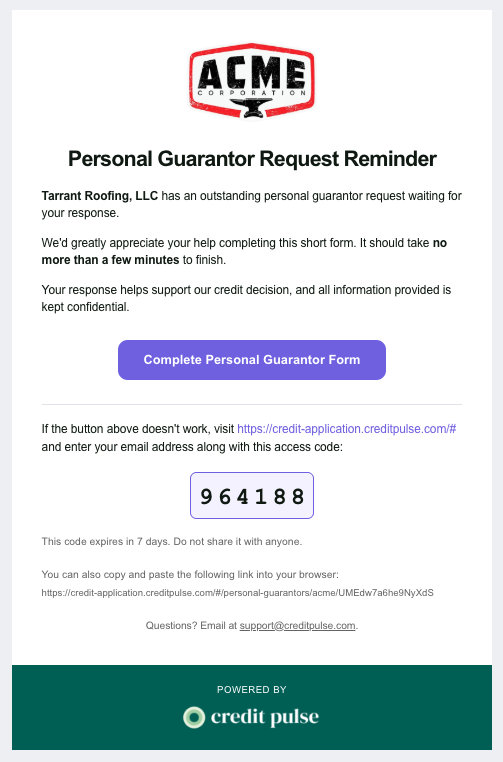
Reminder Email Design
Reminder emails are designed to be simple, branded, and easy to act on. They clearly identify the outstanding request, include your company logo and application branding, and provide a prominent button that takes the recipient directly back to the required form. A backup link and access code are also included in case the primary button does not work.
When Do Reminders Stop?
Reminders will stop on their own when either:
The recipient completes the requested action, or
The configured maximum number of reminders has been reached.
No additional follow-up is sent once the requirement is complete.
Recommended Settings
For most customers, a good starting point is:
Reminder Type | Cadence | Max Reminders |
|---|---|---|
Signers | 2 business days | 2 |
Trade References | 1 business day | 3 |
Personal Guarantors | 2 business days | 2 |
You can adjust these based on how aggressively you want to follow up.
Setting Up Automated Reminders
Automated Reminder settings are configured separately for Signers, Trade References, and Personal Guarantors, so you can use a different cadence for each workflow.
To enable or change your reminder settings, reach out to support@creditpulse.com with your preferred cadence and maximum number of reminders for each type.
For example:
Signers: every 2 business days, maximum 2 reminders
Trade References: every 1 business day, maximum 3 reminders
Personal Guarantors: every 2 business days, maximum 2 reminders
Questions?
Reach out to our support team for assistance!